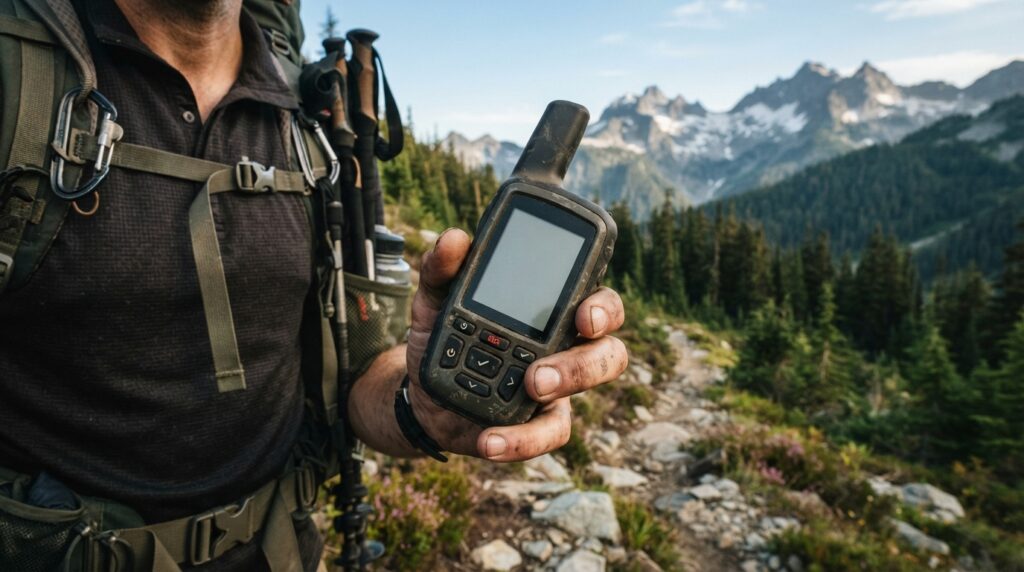
Satellite communicator reviews can make backcountry gear shopping feel harder than it should. You need more than flashy promises. You need reliable two-way messaging, a working SOS feature, strong battery life, and hardware you can trust when there is no cell signal. The best options deliver those essentials without burying you in confusing plans or weak apps.
You will also want to weigh price, weight, photo and voice messaging, tracking, and seasonal flexibility. Dedicated communicators still offer a stronger safety setup than phone-based tools, while simpler models may save you money if text and emergency access are all you need.
Key Takeaways
- Prioritize two-way messaging, a dependable SOS system, accurate location sharing, strong battery life, and usable controls over flashy extras when choosing a satellite communicator.
- Choose a premium model for photo and voice messaging, a standard model for reliable text, tracking, and emergency access, and an app-focused or lightweight model when low weight and phone-based convenience matter most.
- Evaluate total ownership cost—not just hardware price—by comparing subscription fees, activation charges, message and tracking limits, overages, accessories, and seasonal pause options.
- Test messaging, tracking, app connectivity, battery performance, and SOS procedures before entering the backcountry, and carry a charging solution because real-world conditions can reduce advertised battery life.
Satellite Communicator Reviews For Backcountry Buyers
Satellite communicator reviews help you separate a true backcountry safety tool from a phone accessory with big promises. When you hike, camp, boat, or travel beyond dependable cell coverage, a dedicated communicator gives you a direct way to send an SOS, share your location, and contact people at home. It also works as a hardware backup when your phone battery dies, gets wet, or loses signal. That extra layer can matter when a small problem turns into a serious emergency.
The best comparisons start with the SOS process, not flashy extras. Check whether the device supports two-way communication with emergency responders, how clearly it shares your location, and whether you can message contacts before calling for help. Then compare battery life, charging options, satellite network coverage, message delivery speed, and the cost of the required subscription. A low device price means little if the plan is expensive, restrictive, or difficult to pause when you are not traveling.
Real-world usability is where many devices reveal their weak spots. You want buttons and menus you can use in cold weather, a clear app connection, reliable tracking, and messaging that does not become a chore after a long day outside. Photo and voice features may be useful, but they should never outweigh dependable SOS access and strong battery performance. Read satellite communicator reviews for field testing, not just manufacturer claims, and choose the model that fits your trips, budget, coverage needs, and comfort with paying for an ongoing plan.
Premium Communicator Versus Standard Communicator
A premium communicator is the better pick when you want your updates to feel more personal in the backcountry. It supports two-way text messaging plus photo and voice messages, so you can show trail conditions, share a campsite view, or explain a problem without typing everything on a tiny screen. That extra flexibility comes with a higher purchase price and potentially greater plan usage, so it is not automatically the smarter buy for every trip. If you regularly travel with family, lead groups, or want richer communication during long adventures, this type of model earns its place.
For simple emergency readiness, a standard communicator may give you more value for your money. You still get two-way text messaging, location tracking, long battery life, and access to an emergency response service, which covers the features most hikers and campers actually need. It is a strong fit if your main goal is checking in, sharing your location, and calling for help when a trip goes sideways. Put bluntly, choose the premium model for photo and voice updates, but choose the standard model if dependable text, tracking, battery life, and SOS support matter most.
App-Focused And Lightweight Communicator Reviews
An app-focused communicator is a strong choice if you already carry your phone and want a familiar messaging experience. You can send and receive texts through the companion app while the device connects when cellular service disappears, but your phone remains central to the experience. Its dedicated SOS button adds an important layer of backup, with two-way help from an emergency response center rather than a simple one-tap alert. The trade-off is extra dependence on your phone, including its battery, app, and Bluetooth connection. These devices also use monthly service plans, so check activation, suspension, and message costs before judging the lower hardware price.
A lightweight communicator makes a compelling case for seasonal users who want to carry less and pay for service only when they need it. The unit may be notably light, but you still need a compatible phone and companion app for normal messaging, location sharing, and weather updates. Its SOS feature is designed for emergencies and can support two-way communication, which is far more useful than an alert that leaves you guessing about what happens next. The messaging setup can feel less direct than a communicator with a screen and built-in controls, especially when your phone is cold, wet, or nearly empty. Flexible monthly and annual plan choices may matter more than saving a few dollars on the hardware.
Your better pick depends on what you will actually do in the backcountry, not which box looks cheaper online. Choose an app-focused model if you want a polished phone-based messaging workflow and a solid dedicated SOS button. Choose a lightweight model if low weight and seasonal plan flexibility come first. In both cases, budget for plan fees, phone protection, charging gear, and practice time before your trip. Test messaging and SOS instructions at home, because an emergency is a terrible time to learn the app. The real cost is the complete system you can keep charged, subscribed, and ready to use.
Satellite Networks, SOS, And Battery Life
Satellite coverage is a major safety factor because some networks provide broad reach across remote land and open water, but your communicator still needs a reasonably clear view of the sky. Deep canyons, thick forest, and heavy weather can slow a connection, so do not assume global coverage means instant service everywhere. A two-way SOS system is more useful than a one-touch distress signal because you can answer questions, share your situation, and receive updates from the response team. Message delivery also matters during routine check-ins, since delayed status reports can make it harder for your contacts to know whether you are safe. Look for clear delivery alerts, reliable tracking, and an app or device interface you can operate with cold hands and limited attention.
Battery claims are usually measured under gentle conditions, not during a real expedition with frequent location updates. Tracking every few minutes, repeated satellite searches, cold temperatures, screen use, and weak sky views can cut runtime sharply, so treat the advertised figure as a best-case ceiling. Voice messages and photo sharing demand more power than short text, and sending large files may take longer when the connection is poor. A communicator that promises weeks of basic tracking may deliver far less when you turn on frequent updates and media features. Before buying, compare battery performance for your actual trip pattern, not just the largest number on the box.
For dependable field use, carry a charging plan and build in a safety margin rather than running the device until it reaches zero. Keep it warm inside an inner pocket in cold weather, charge it fully before departure, and consider a compact power bank for longer trips. You should also test tracking, messaging, and SOS steps at home, then confirm that your plan supports the features you expect to use. The best satellite communicator review is not the one praising a headline battery claim, but the one showing how the device behaves when you are moving, cold, out of signal, and under pressure. Reliable delivery and honest runtime are safety features, not minor convenience details.
Satellite Communicator Plans And Total Cost
The cheapest satellite communicator is not always the cheapest choice once you add service and usage fees. Entry-level devices often cost about $150 to $300, while models with longer battery life, richer messaging, or photo and voice support can reach $500 or more. Check for activation fees, annual discounts, and whether the advertised price depends on a limited-time promotion. A low hardware price can lose its appeal quickly if the plan charges extra for every message, weather request, or tracking point.
Your monthly plan should match how often you actually go outside. Light users may prefer a seasonal plan that can be paused between trips, but confirm whether suspension still carries a small fee and whether reactivation costs extra. Frequent travelers may save with an annual plan that includes a larger message allowance, while heavy tracking can create additional charges when you send location updates every few minutes. In satellite communicator reviews, pay close attention to included messages, tracking limits, SOS access, and overage rates instead of comparing monthly prices alone.
Add the less obvious expenses before you make a decision. A protective case, spare charging cable, car charger, mounting clip, and external battery can add $50 to $150, especially if you rely on the device for long trips. Also check whether messages sent through the companion phone app count the same as messages sent directly from the device. To estimate total ownership cost, add the device price, activation, twelve months of service, expected overages, seasonal fees, and accessories, then compare that figure across your likely two- or three-year use period.
Satellite Communicator Review Conclusion
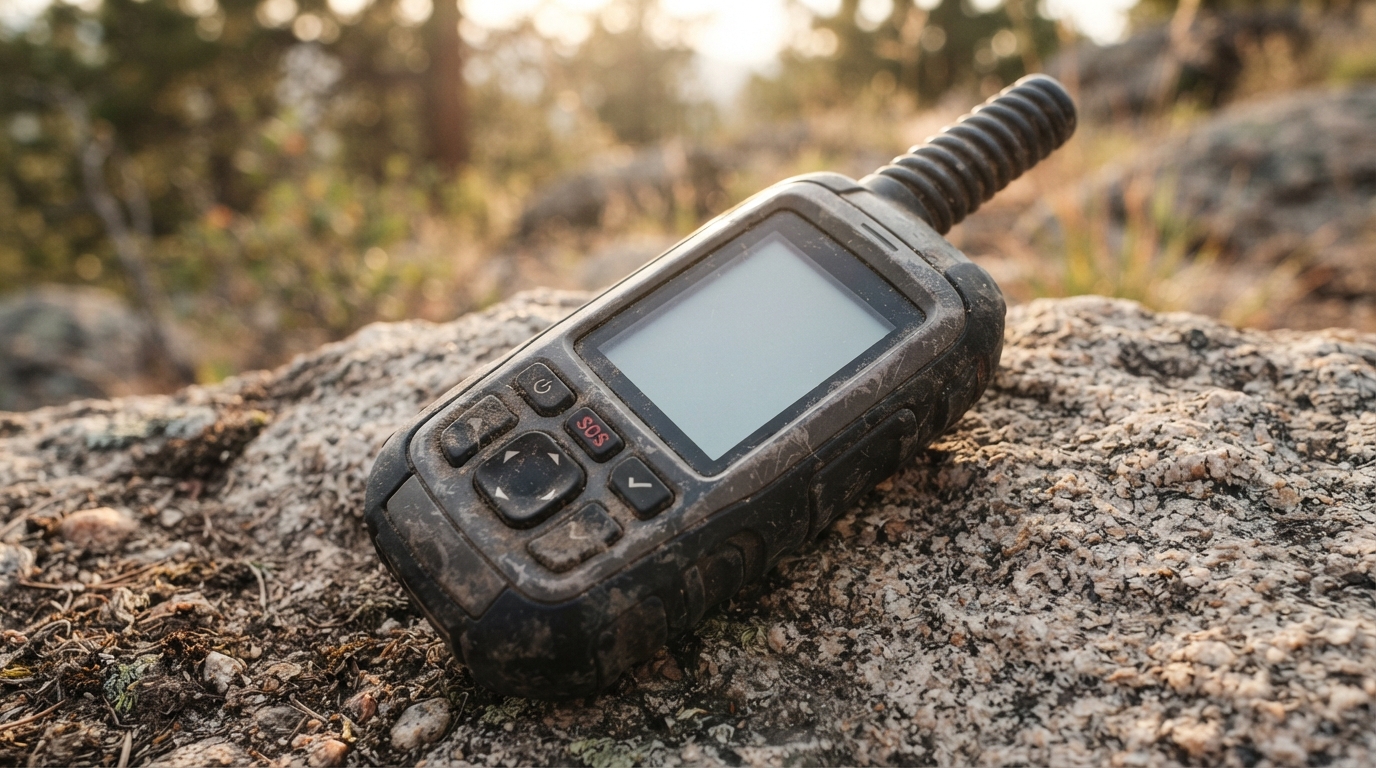
For dedicated backcountry use, a premium standalone communicator is the strongest overall choice because it combines two-way messaging, SOS support, long battery life, and media sharing in one rugged device. If you mainly need text messages, location tracking, and emergency help, a standard communicator delivers the core tools at a lower price. Value-focused buyers should look closely at the service plan, since a cheap device can become expensive if you rarely use it or choose a poor fit for your trips. The hardware matters, but dependable satellite coverage and a clear SOS process matter more when you are far from help.
App-focused users may prefer a lighter, lower-cost unit that handles messaging through a phone, while occasional adventurers can benefit from flexible plans and a compact design. Phone-based satellite features are increasingly useful for casual outings, but they depend on carrying a charged phone and may offer less backup if your phone is damaged, lost, or out of power. Before you buy, match the device and plan to the places you visit, the messages you expect to send, and how much emergency support you want beyond basic check-ins. Choose the communicator and service plan that fit your coverage needs, emergency expectations, and willingness to carry a phone.
What Makes a Satellite Communicator Worth It
The best satellite communicator reviews look beyond the device price and test the full ownership experience. For serious backcountry trips, a dedicated communicator with two-way messaging, reliable SOS support, strong battery life, and tracking offers the most dependable safety net. A premium model is worth considering if you want photo or voice messaging, while a simpler text-focused unit can deliver better value for basic check-ins and emergencies. App-based options may suit casual users, but purpose-built hardware gives you more backup when your phone is damaged, drained, or out of range.
Before you buy, compare subscription fees, coverage, battery claims, ease of use, and the cost of accessories, not just headline features. Choose the device that matches your trips, because a seasonal hiker has different needs from someone spending weeks beyond cell service. The right review should help you separate useful safety features from flashy extras and make the total cost clear. For more straightforward, cost-focused comparisons across everyday services, explore our Meal Delivery Service Pricing: Real Costs, Fees, And Value Compared. That same no-hype approach can help you spend with confidence, whether you are preparing for the wilderness or managing daily life.
Frequently Asked Questions
1. What should you look for in satellite communicator reviews?
Start with the features that can matter in a real emergency: two-way messaging, a reliable SOS system, accurate location sharing, and dependable satellite coverage. Then compare battery life, app quality, tracking, device weight, subscription costs, and how easy the controls are to use in cold or wet conditions. Fancy extras mean little if the basics fail.
2. Are satellite communicators worth buying for backcountry trips?
They are worth considering whenever you travel beyond dependable cell coverage. A dedicated communicator can send an SOS, share your location, and keep you in contact when your phone is dead, damaged, or out of range. If you only stay near roads and towns, the cost may not make sense, but remote hikers, campers, boaters, and travelers gain a serious safety advantage.
3. How does the SOS feature work on a satellite communicator?
You activate SOS from the device, and the request is sent through a satellite network to an emergency response center. Many modern units support two-way communication, allowing responders to ask questions, confirm your location, and provide updates. Learn the exact process before your trip, because an SOS button is not a substitute for preparation or good judgment.
4. Do satellite communicators need a subscription?
Most satellite communicators require a paid service plan for messaging, tracking, weather updates, and SOS support. Compare the monthly fee, activation charges, message limits, annual requirements, and options for pausing service between trips. A cheap device can become an expensive purchase if the plan is restrictive or difficult to cancel.
5. Can a satellite communicator replace a smartphone?
No. A communicator is a focused safety and messaging tool, not a full smartphone replacement. It can work when cell service is unavailable, but your phone may still handle maps, photos, apps, and detailed navigation more effectively. Using both gives you a stronger setup, especially when you keep the communicator charged and stored where it is easy to reach.
6. How long does the battery last on a satellite communicator?
Battery life depends on the model, tracking frequency, message use, weather, and satellite visibility. Frequent location updates, photo messages, and weak signal conditions can drain power much faster than occasional text messages. Check real-world battery claims, carry a backup power source, and test the device before relying on it in the backcountry.
7. Are photo and voice messages useful on a satellite communicator?
They can be useful when a text does not explain the situation clearly, but they usually use more power, time, or data than basic messages. For most emergencies, a short text, accurate location, and working SOS feature matter more than sending media. Treat photo and voice tools as convenient extras, not reasons to overlook weak battery life or a poor app.
8. What should you test before taking a satellite communicator into the backcountry?
Test the device outdoors with a clear view of the sky, then send a message, check location sharing, try tracking, and confirm that the companion app connects properly. Read the SOS instructions and make sure your contacts know how messages will appear. Also charge the device fully, update its software, and verify that your subscription is active before you leave cell coverage.