
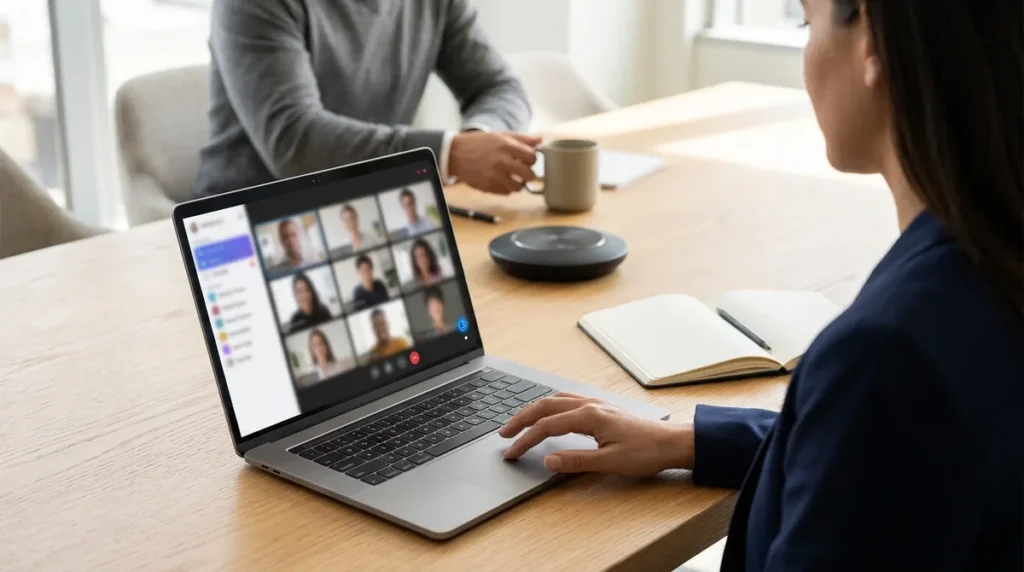
Before an AI notetaker records a single word, does everyone on the call have to say yes? That’s usually the one question that matters. Federal law sets a low floor. Under 18 U.S.C. § 2511, a private person generally can record a conversation without telling the others if they are a party to it or one party gave prior consent. That floor doesn’t cover every call, and it doesn’t make your AI notetaker’s recording automatically safe.
Some states demand more. The Reporters Committee for Freedom of the Press counts 11 states that primarily require all-party consent, including California, Florida, Illinois, Pennsylvania, and Washington. Many other states depend on the type of conversation or the circumstances, so a quick scan of a state list won’t settle it. When you’re unsure, get a clear yes from everyone before the assistant starts capturing audio.
Key Takeaways
- If even one participant sits in an all-party state, treat the whole meeting as an all-party meeting.
- Your bot’s name on the participant list is not enough notice on its own.
- Device-level capture without a visible bot raises the bar for a clear, explicit yes from everyone.
- Get the actual data retention period for transcripts in writing before you ever enable a notetaker.
- Ask the vendor whether the tool builds a voiceprint, because that profile can trigger biometric privacy laws.
Do You Need Permission to Use an AI Notetaker?
Short answer: it depends on who is on the call. The safest move is to get a clear yes from everyone before the assistant captures a single word.
Here’s the baseline. Federal law lets a person record a conversation they take part in, or one where someone in the conversation has already agreed, unless the recording is made for a criminal or tortious purpose. So if you’re on the call and you hit record, you aren’t automatically breaking the federal rule. That’s the floor, and it’s a low one.
Floors have basements. State rules can demand more, and several states require every person on the call to agree. Being a party to the call is not the same as having permission from everyone in it. You can hear every word and still be the only one who said yes. In an all-party state, that gap matters.
An AI notetaker makes this easy to forget. It joins like a coworker, shows up in the participant list, and takes notes while everyone talks. It feels like a convenience feature, not a recorder. But the legal question doesn’t change just because software is doing the typing.
The tool is easy. The responsibility isn’t. Microsoft’s guidance for its Copilot Capture feature says users are responsible for getting adequate consent from every participant before the feature transcribes a meeting. The software won’t carry that duty for you. The person who switches it on does.
So before you click start, ask yourself who is on the call, where they are, and whether any of them would be surprised to learn a machine is writing down every word. If the answer is anyone, pause and ask first. A quick “mind if the notetaker joins?” feels awkward for a split second. A recording nobody agreed to can cost you far more.
Which States Require Everyone to Say Yes?

Eleven states primarily require everyone on the call to agree before anyone is recorded. The Reporters Committee for Freedom of the Press lists them as:
- California
- Delaware
- Florida
- Illinois
- Maryland
- Massachusetts
- Michigan, in specified circumstances
- Montana
- New Hampshire
- Pennsylvania
- Washington
Under one-party consent, only one person in the conversation has to agree, and that person can be the one who hits record. All-party consent flips that. Everyone has to say yes. The state where a participant is sitting can decide which rule applies to that person, so the location of each attendee matters.
Michigan’s rule applies only in specified circumstances, so don’t stop at the name on the list. The other states don’t sort neatly into either camp. Their rules can shift with the type of conversation or the situation around it, which means a quick scan of a state list won’t give you a final answer.
Here’s the rule to follow. You don’t get to ask only the people in the all-party state. Get a clear yes from everyone on the call. A team of four in one state with one colleague in Florida has to play by Florida’s standard.
The assistant won’t check any of this for you. It doesn’t ask where people are sitting, and it won’t warn you when someone joins from a state with stricter rules. Before the bot joins, list where each attendee is located, check that list against the states above, and ask the room. One question at the start beats untangling a recording later.
Does Recording Across State and Country Lines Change the Rules?
Yes, it can. Where each person sits matters, not just where the host is. A meeting hosted from a permissive state can still trigger stricter rules for someone who joins from somewhere else.
Here’s the trap. One participant in an all-party state can change the consent standard for the whole call. Your notetaker won’t flag that person or ask the others whether they’re comfortable. It just records everyone in the room, including the colleague who never got asked.
International calls add a second layer. Recording consent is only part of the story, because data-protection law can apply too. Under the EU General Data Protection Regulation, consent is just one of six possible legal bases for handling personal data. So for a colleague in Berlin, the question isn’t only whether they said yes. It’s which legal basis you’re relying on to process their voice and words.
The UK’s Information Commissioner’s Office asks a related set of questions for UK-hosted online meetings. Is the recording needed for a clear purpose? Could a less intrusive method do the job? Have attendees been told how it will be used and how long it will be kept?
Before the call, write down each attendee’s state or country. Then work out which strictest rule applies to anyone on that list.
Is a Meeting Bot Enough to Count as Notice?

Not on its own. A bot in the participant list tells people a tool is present, but it doesn’t explain what gets captured, why, or where the transcript goes. Notice has to say those things in words people actually read or hear.
Microsoft puts the job on you. The bot’s name on the roster doesn’t do that work for you.
There are four common ways to tell people, and each one has a weak spot:
- A bot in the participant list. It’s automatic, but many people never look at a sidebar, and it says nothing about what’s being kept.
- A pinned chat message. It stays visible and people can read it at their own pace. Anyone who joined by phone or never opens the chat will miss it.
- A verbal statement at the start. It’s hard to ignore while it’s happening, but it fades once the agenda kicks in, and late arrivals never hear it.
- A written line in the calendar invite. It reaches people before the call, but invites get skimmed, forwarded, or buried unread.
Look at that list again. Both the spoken and written notices are easy to skip. A person can click past the invite on Tuesday and drift into the call on Thursday with no idea anything changed. A spoken line can slide right past someone who’s still finding their headphones.
That’s why the strongest approach stacks methods. Put a plain sentence in the invite, such as “An AI notetaker will transcribe this meeting.” Pin the same message in chat when the call opens. Then say it out loud before the bot joins, and ask people to answer. Note who said yes. A short roll call beats guessing who read what, and it gives you a record you can point to later.
What Changes When the Assistant Records Without a Bot?
When an assistant records without a bot, nobody on the call can see it. There’s no name in the participant list, no tile on the screen, and no robot to spot. The audio is captured from the device that runs the tool, so only the person who set it up knows it’s happening. That invisibility is exactly why the consent bar goes up.
A visible bot at least announces itself, even if people ignore it. Device-level capture removes that signal. A colleague can talk for an entire meeting without realizing every word is being written down, which makes a clear, explicit yes far more important.
Not every setup captures audio, though. Microsoft’s Teams Copilot mode can generate notes and tasks without recording or transcribing the call. Even then, prompts and responses may still be kept under the organization’s Microsoft Purview retention policies. Less audio doesn’t mean nothing is stored.
If you don’t want to be captured, say so before the call starts. Ask the host to stop the recording or switch off the assistant. Keep it short and clear: “I don’t consent to the notetaker capturing my audio. Could you disable it for this meeting?”
Then document the request. Write down the time, who asked, what they said, and whether the host agreed. A short follow-up message in the chat or by email gives you a record you can point to later.
If someone objects, stop the capture for that meeting. Don’t keep it running quietly and hope nobody notices. Don’t argue your way around the objection, and don’t trim the transcript afterward and pretend the problem never happened. Turn it off, finish the call the old-fashioned way, and send any follow-up notes by hand.
What Happens to Your Audio and Transcript After the Meeting?

Your audio and transcript go wherever the tool’s settings send them, and every product sets those settings differently. Find out what gets stored, where it lands, and who can open it before the first meeting, not after.
Microsoft’s two setups show how much the answer can change. With Copilot Capture, the audio is deleted right after transcription, but the transcript and notes are saved to the Copilot notebook you choose. The recording disappears, and the words stick around.
Before you switch anything on, check these five things:
- Audio: Is the recording kept, or deleted after processing?
- Transcript and voiceprint: Does the tool create a written transcript, and does it build a voiceprint, a digital profile of how each person sounds?
- Access: Who can open the transcript, notes, and summaries? Just you, your team, or every admin in the company?
- Retention: How long is the data kept, and can you shorten that period or delete it yourself?
- Training: Is your meeting content used to train the vendor’s models?
Don’t accept “as long as needed” as an answer on retention. Ask for the actual period in writing. If a vendor dodges the training question, treat the dodge as the answer.
Then remember that AI transcripts are often wrong. They mangle names, drop short phrases, and mix up who said what. A wrong number in a transcript can turn into a wrong decision, a missed deadline, or a bad email to a client. Read the transcript against your own notes or the recording before anyone relies on it, and fix errors before the text gets shared.
Do Privacy Laws Add Duties Beyond Consent?
Yes. Recording-consent rules ask whether everyone agreed to be captured. Privacy rules ask a bigger question: what can you do with that personal data once you have it? You can clear the consent hurdle and still break a privacy duty.
Europe’s privacy rulebook gives organizations six possible legal bases for handling personal data: consent, contractual necessity, legal obligation, vital interests, public task, and legitimate interests. Consent is only one of them. An organization may have another lawful reason to process someone’s voice, but it still has to know which reason it is relying on.
The UK’s data watchdog focuses less on labels and more on the reasoning behind a recording. It cares about four things: purpose, necessity, notice, and retention. Purpose means knowing exactly why the audio exists. Necessity means asking whether you need it at all. Notice means people actually understand what’s happening. Retention means you know how long the data sticks around.
Voiceprints raise the stakes. A voiceprint is a digital profile built from the way a person sounds, and some tools create one so they can tell speakers apart. Biometric privacy laws, such as Illinois’s Biometric Information Privacy Act, can apply when a tool creates that kind of profile. These laws run on a separate track from recording consent. A yes to being recorded does not automatically cover building a voiceprint of your voice.
So ask the vendor one blunt question: does this tool build a voiceprint? If the answer is yes, treat the tool as a bigger deal than a plain transcript generator.
Security certifications are a different tool entirely. ISO/IEC 27001 is a standard for how a provider manages information security, including its internal controls and risk processes. It’s a useful filter when you’re vetting a vendor’s habits. It is not a permission slip. A certified provider can still run a tool that needs consent from every participant, and the certificate won’t tell you whether anyone had to say yes.
Are Lawyers, Doctors, and Banks Held to Stricter Rules?

Often, yes. Healthcare, finance, legal, and education settings frequently carry their own rules on records and privacy, and those rules sit on top of recording consent. A yes from everyone on the call doesn’t clear every hurdle.
Attorney-client conversations are the sharpest case. Privilege protects what a client says to a lawyer in confidence, and that confidence is the whole point. Hand a live conversation to a third-party tool that records it, writes a transcript, and stores it somewhere you never checked, and you may weaken the protection the conversation was supposed to have.
Here’s the practical rule. Attorney-client conversations can lose protection if a third-party tool records or stores them without a plan. Before a lawyer or client joins a call with a notetaker, decide whether a transcript is needed at all, who can open it, and when it gets deleted.
Doctors, banks, and schools face their own versions of the same problem. A medical visit, a loan review, or a meeting about a student’s records each carries duties about who sees the information and how long it stays. The notetaker doesn’t know which rulebook applies, and it won’t stop to ask. The person who switches it on has to know.
Read the vendor’s terms before you enable anything. Don’t rely on the marketing page or a friendly sales call. Look for the sections on data retention and model training, and check whether the company can change those terms later without telling you.
If the terms are vague, or the vendor won’t answer in writing, keep sensitive conversations off the bot. A quick “let’s take this one offline” costs far less than a transcript you can’t take back.
What Does Compliance Add to the Price of an AI Notetaker?
Compliance adds cost in two ways: the subscription itself, and the hours you spend on paperwork that never shows up on a pricing page.
Paid notetaker tiers commonly run about $17 to $20 per user per month when billed monthly. That’s a general market figure, and it adds up fast. Five people on a $17 plan means $85 a month before anyone has changed a single setting.
The bigger catch is that the features you need for consent and privacy often sit above the cheapest tier. Admin controls, retention settings, and business-tier features may cost more than a basic plan. Figure out which ones you actually need before you upgrade for extras you’ll never touch.
Then there’s the time cost, which nobody bills you for but you still pay:
- Notices: writing the invite line, pinning the chat message, and running a roll call for every meeting.
- Vendor terms: reading the sections on retention and model training, then rechecking them when the company updates its policies.
- Retention settings: finding where the deletion controls are buried and confirming they really work.
- Admin access: making sure your plan lets you limit who can open transcripts and summaries.
Each item takes minutes, and the minutes stack up across every meeting. Skip them and you save time now, then pay for it later.
Here’s the reality check. Pricing and security certifications can inform your buying decision, but they do not establish legal compliance. A plan with a shiny security badge can still require a yes from every participant. Treat the price tag as one input in your decision, not as proof that you’re covered.
Your Checklist Before the Assistant Joins
Start with a quick check before you turn anything on. Open the calendar invite and confirm it says, in plain words, that an AI notetaker will transcribe the meeting. Then write down the city and country of every attendee, and check that list against the strictest rule that could apply to anyone on it.
Next, settle the consent question out loud. Ask the host whether the meeting will be recorded, transcribed, or only summarized, and whether anyone plans to keep the transcript. If the host can’t answer clearly, switch the assistant off for that meeting and take notes the old-fashioned way.
Then lock down the outputs. Find the folder or notebook where the transcript will land, confirm who on your team can open it, and get the retention period in writing. Ask the vendor directly whether your meeting content is used to train its models. Write the answers in a shared doc so the whole team works from the same facts.
Finally, keep a simple log for your first three meetings. Record the date, where each attendee sat, who said yes, and where the transcript was saved. Patterns show up fast. If someone questions a recording later, that log is your proof that you asked first.
Frequently Asked Questions
1. Can my employer require me to use an AI notetaker in internal meetings?
Your employer can set a company policy that asks you to use an AI notetaker, but that policy doesn’t remove the need for each participant’s agreement. Ask for the policy in writing so you know whether you’re expected to switch it on yourself or just accept it when someone else does. If a colleague objects, the same rule applies: stop the capture for that meeting and take notes by hand.
2. Can I use an AI notetaker for a one-on-one with my manager?
Yes, but a one-on-one is still a conversation with two people who both need to agree. Ask your manager directly before the bot joins, and get a clear yes in the chat or out loud so there’s a record. If either of you is in an all-party state, that clear yes matters even more.
3. Does a transcript I edit myself count as the same recording for consent purposes?
Consent is tied to the original capture of the conversation, so cleaning up the text afterward doesn’t create a fresh consent question. Fixing names and typos is fine, but changing what people said is not, and it can cause real trouble if the edited version is shared. Keep the unedited original stored separately so you can prove what was actually captured.
4. If a client joins from a stricter state, do I have to restart the meeting?
You don’t need to restart the whole meeting, but you do need to pause the notetaker as soon as that client joins. Ask the client directly whether they agree to the transcription, and only turn the assistant back on once they say yes. If the tool already captured audio of them before they agreed, delete that section of the transcript and its audio.
5. How do I delete a transcript and confirm the vendor removed the audio?
Start by deleting the transcript and notes from the folder or notebook where the tool saved them, and check whether any shared copies also need removing. Then email the vendor and ask for written confirmation that the transcript, notes, and any audio were deleted, along with the date. Ask whether backups are cleared too and how long that takes, because a deletion confirmation without that detail leaves a gap.